The Giant's Breakfast Guides
Cook, stack, hunt doughs and clues—every tutorial for Zidiam Studios' Roblox breakfast tycoon.

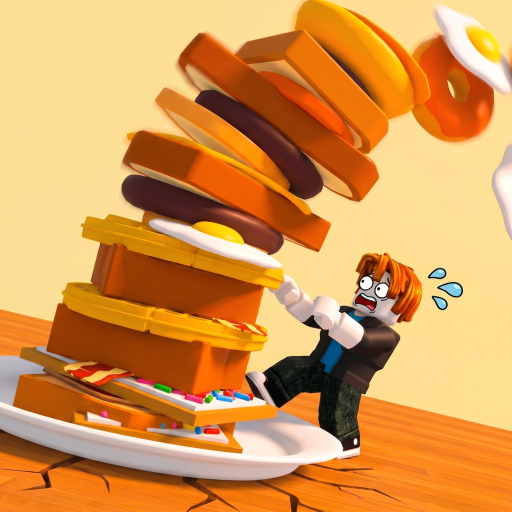
Welcome to the Guides Hub for The Giant’s Breakfast, the Roblox cooking and stack tycoon from Zidiam Studios. Every tutorial below explains a piece of the same loop: pull the lever to buy giant food, sort batters, eggs, and meat to the GRIDDLE, send bread and pastries to the TOASTER, cook until the sizzle, flip cooked layers onto your TOWER, and convert height into money per second. Taller stacks unlock rarer food—including numbered doughs and named specials—all the way toward CELESTIAL, while offline earnings, clue hunts like the Bolt, and limited events reward curious cooks.
This unofficial fan wiki focuses on practical steps. Start with onboarding after the 2026-07-16 release, re-check routes after the 14 August 2026 live update, then climb the dough ladder before chasing endgame rarity. PC nav shows at most eight dropdown rows and sends overflow here via View all.
Start here
- How to Play — first-session checklist and the full buy-cook-stack loop
- Cooking Stations — griddle versus toaster sorting and sizzle timing
- Stack Tower — flipping food and reading height milestones
- Kitchen Map — lever, stations, tower, and clue-area landmarks
- Beginner Mistakes — wrong sorts, early flips, and tutorial gaps
Dough ladder and specials
- Dough Progression — numbered dough ladder from early batters to late prestige doughs
- Find Dough 4 — secret-wall tips for the fourth dough search
- Mysterious Dough — separate mysterious-tier dough hunt
- Alien Dough — how to unlock and cook the alien-tier batter
- Mid Numbered Doughs — 5th, 6th, and 7th dough order
- 8th and 9th Doughs — late prestige batters after the mid ladder
- How to Get the Bolt — clue/Bolt discovery without abandoning the kitchen
Secrets, plates, endgame, economy
- Secrets and Clues — fake walls, tasks, and exploration safety
- Lore and Story — official Giant myth without fanfiction
- Golden Plate — honest unlock status (no wrong-game methods)
- Celestial Food — ultimate rarity ceiling
- Earn Money Fast — reinvestment habits
- Offline Earnings — AFK value after clean flips
- Events Guide — limited-time priorities
How these guides connect
Station mistakes waste lever pulls—read Cooking Stations before expensive doughs. Dough Progression tells you which rung to chase; Find Dough 4 and Mid Numbered Doughs cover the numbered search spikes; 8th and 9th Doughs covers the prestige band. Alien Dough and Mysterious Dough split named specials. Secrets and Clues plus How to Get the Bolt cover the exploration layer. Kitchen Map keeps you oriented when a hunt leaves the plot.
Pair guides with other wiki hubs
Check the Codes Hub for promo drops versus Puzzle Codes. Compare values on the Tier List Hub, identify families in the Food Catalog, collect Badges, and plan sittings with the Session Checklist. Patches live on Updates; official URLs on Wiki.
Lobby notes
Online lobbies support up to six players. Your tower and dough unlocks stay personal. Guides assume a public server unless an event says otherwise.
Session playlist
- Warm up with how-to-play until lever → sort → sizzle → flip is automatic.
- Climb doughs; peel off for Dough 4, mid numbers, 8th–9th, Alien, or Mysterious when those titles appear.
- Walk secrets and the Bolt only after a finished flip.
- Push Celestial when mid-tier accuracy is boringly good.
- End with offline-earnings habits.
Master clean cooks first—special doughs and Celestial arrive faster when every cycle finishes clean.
Frequently Asked Questions
Quick answers about cooking, stacking, and wiki navigation.
Which guide should I read first?
Start with How to Play, then Cooking Stations. Sorting mistakes cost more time than any other early error.
Do these guides cover codes?
Codes live under the Codes Hub. Guides focus on cooking, stacking, earnings, and events.
Is The Giant's Breakfast solo or co-op?
You play in online lobbies of up to six players, but your tower and income progression are personal.
Are the guides updated after patches?
Yes—cross-check the Updates hub after major patches, then return to the relevant guide for revised steps.