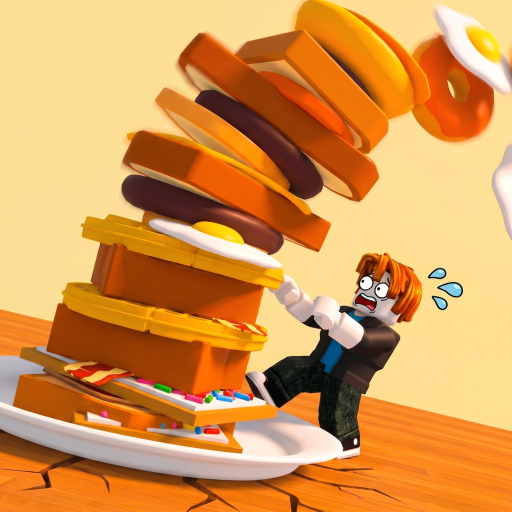
The Giant's Breakfast Pre-Cook Session Checklist
A short worksheet so every join has one goal, one sort rule, and one clean logout.

The Session Checklist is a content tool for The Giant’s Breakfast: tables you can run in five minutes before you pull the lever. It is not a download, not a script, and not a payout calculator. Use it when you keep joining “for a minute” and leaving with a half-sizzled pastry and no Stacked 100 progress.
Pair it with the Stack Planner when you need a height number, and the Offline Estimator when you already know you must leave in N hours. This page owns the start and stop of a single sitting.
Before you join (2 minutes)
| Check | Why it matters | If no, do this |
|---|---|---|
| I know today’s one goal | Split goals stall both | Pick: clean sorts, one dough rung, or +N landings |
| I remember GRIDDLE vs TOASTER | Wrong station deletes the session | Re-read Cooking Stations |
| I am not mid-sizzle from last time | Offline pay wants a finished layer | Plan to finish or scrap the leftover immediately |
| I checked Updates if a wall failed yesterday | August 2026 live touches move routes | Soft-rejoin, then explore |
| I will not wait for a code | Codes are often empty | Cook first, redeem later if a string appears |
Write the goal in chat to yourself or on paper. “Get 9th dough and Celestial and Stacked 100” is not a session. It is a wishlist.
Goal picker (choose one)
A — Fundamentals. Ten correct sorts, zero exploration. Best after a break or for Completed Tutorial. Follow How to Play and Beginner Mistakes.
B — Income. Raise money per second with known foods. Use Earn Money Fast and Early Game Foods or Late Game Foods depending on height.
C — Dough rung. One numbered or named batter. Open Dough Progression, Mid Numbered Doughs, or 8th and 9th Doughs. Keep a cash buffer.
D — Clue walk. One exploration after a finished flip. Kitchen Map, Secrets and Clues, Bolt.
E — Badge grind. Landing count toward Stacked 100. Cheap correct cooks beat prestige failures.
F — Event sprint. Only if a timer is visible. Events Guide first, cosmetics last.
During the session (repeatable loop)
- Buy only when the family is named.
- Walk the short path on the Kitchen Map.
- Cook to sizzle. Flip to your tower.
- Read money per second.
- If you failed a sort, do two cheap recovery cooks before another prestige buy.
- If you want to explore, finish the current layer first.
Do not open Gamepasses mid-fail. A Store tab will not teach the toaster.
Logout checklist (90 seconds)
- No item left cooking
- Last flip landed
- HUD money-per-second noted (mental or notepad)
- Goal A–F marked done / blocked / moved to next time
- If leaving for hours, skim Offline Earnings and the Offline Estimator
- If a wall looked wrong, write “rejoin tomorrow” instead of grinding a stale instance
Sample 25-minute sitting
Minutes 0–3: walk landmarks, claim nothing from strangers. Minutes 3–18: Goal B or E only. Minutes 18–22: optional single clue glance if the tower is clean. Minutes 22–25: logout checklist. That sitting beats a two-hour wander that never reads income.
What this tool refuses to do
It will not invent Celestial drop rates, fake codes, or a script that pulls the lever. See Scripts for why. It will not replace Patch Notes after the 14 August 2026 universe update. It will not tell you to buy Robux to finish Stacked 100.
Keep Tools Hub, Guides Hub, Items Hub, and Wiki one click away. Then close them. The checklist only works if the next thing you touch is the lever.
One goal, one sort law, one finished logout. That is a session. Everything else is a highlight reel you can watch after the tower is already paying.
Frequently Asked Questions
Quick answers about cooking, stacking, and wiki navigation.
Do I need this checklist every time I play?
No. Use it when sessions feel messy or you keep leaving mid-cook. Experienced cooks can run the logout box alone.
Can I pick two goals?
Only if the second is “logout clean.” A dough hunt plus a clue walk in the same sitting is how both fail.
Is this a downloadable app?
No. It is an on-page worksheet. Nothing installs, and it is not a script.
Where do I put a height number?
On the Stack Planner. This checklist picks the session type; the planner picks the numeric target.