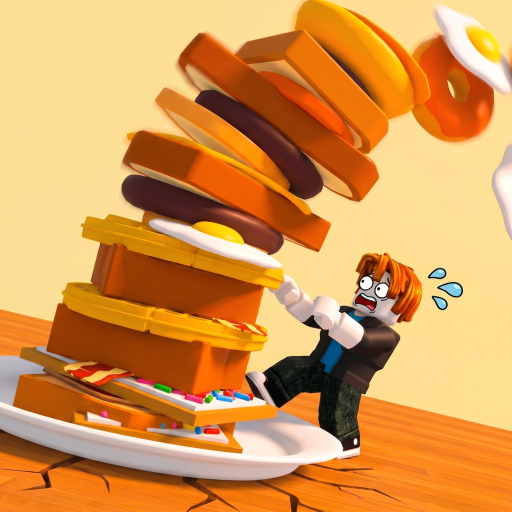
The Giant's Breakfast Stack the Breakfast Tower
Flip sizzling food onto a stable tower, read height milestones, and turn layers into money per second.

The TOWER is your scoreboard, savings account, and bragging right in The Giant’s Breakfast. Every correctly cooked item you flip onto the stack increases height, and height drives the money-per-second that funds the next lever pull. This guide focuses on the stacking half of the loop—camera control, flip timing, milestone planning, and how tower growth unlocks rarer food on the way to Celestial.
Cooking rules still matter: wrong-station food never becomes a clean layer. Keep Cooking Stations open in another tab while you practice flips.
Why height matters
- Money per second scales with a more valuable, taller stack
- Rarity unlocks open as you pass height or progression gates
- Offline earnings calculate from the tower you leave behind
- Event goals often ask for stack milestones during limited weeks
A short tower of carefully cooked mid-tier food usually beats a messy pile of mis-timed flips. Quality of layers and consistency of cycles outweigh panic spending.
Flip workflow
- Finish the cook on griddle or toaster after the sizzle cue.
- Carry or launch the food toward the tower pad using the game’s flip/interact control.
- Confirm the layer registers—cash-per-second or height readouts should tick.
- Immediately plan the next purchase so the tower rarely waits idle.
If a flip misses, recover fast: re-attempt if the food still exists, or buy a replacement rather than staring at the gap. Momentum pays better than perfectionism after a single miss.
Camera and movement tips
Stand where you can see both the active station and the tower top. On desktop, raise the camera before tall stacks leave the default view. On mobile, rotate early so the interact prompt stays on-screen. Six-player lobbies get busy—angle your camera to avoid other avatars blocking the pad.
When the tower climbs past your avatar, treat vertical space as part of the UI. Looking straight ahead at ground level causes missed prompts more than any balance mechanic.
Reading milestones
Milestones are mental checkpoints, not just cosmetics:
- Early layers prove your loop works end-to-end
- Mid height should coincide with unlocking better food prices you can actually sustain
- Late height is where Celestial Food planning begins
Before a big cash dump, ask whether the next food will still cook correctly under time pressure. Buying a rarity you cannot handle slows the tower more than waiting one more mid-tier cycle.
Stacking during money spikes
Promo codes (Codes Hub) or event payouts can flood your wallet. Resist buying five complex foods at once unless both stations and your flip timing are ready. Queue purchases to the free appliance, flip finished layers, then spend again. Earn Money Fast covers reinvestment math; this page covers keeping the physical stack coherent while you spend.
Offline and logout timing
Log out after a successful flip, not mid-cook, when you can help it. A completed layer is what offline systems can evaluate. Details and caveats are in Offline Earnings. If an event timer is about to end, prioritize event layers first (Events Guide), then stabilize the tower before you quit.
Common stacking problems
Tower not growing
- Food never finished cooking
- Flip never confirmed
- You are looking at someone else’s plot
Income flat despite height
- Layers are low value relative to current prices
- Stations idle too long between flips
- You need a rarity bump, not only raw height
Keeps missing flips
- Camera too low
- Moving while the prompt appears
- Laggy server—hop lobbies
Practice routine
Run ten cheap cycles focusing only on flip confirmation. Count clean landings out of ten. When you hit nine or ten, introduce pricier food. Watch the mid-article stacking video once, then mirror the pacing in your own kitchen.
Related reading: How to Play, Guides Hub, Tier List Hub, Updates, Tools, Players, Scripts, Wiki, and How to Redeem Codes.
Your tower is a timeline of decisions—each layer either records a clean cook or a lesson you already paid for, so stack the next one like you mean to keep it overnight.
Frequently Asked Questions
Quick answers about cooking, stacking, and wiki navigation.
How do I add food to the tower?
Cook it fully on the correct station, then use the flip/interact action to place it on the tower pad until the layer registers.
Does a taller tower always mean more money?
Height helps, but food value and steady cook cycles matter too. Empty stations can flatten income even on a tall stack.
Should I flip before the sizzle finishes?
No. Wait for the sizzle completion cue, then flip. Early moves waste the purchase.
What unlocks when my stack gets taller?
Rarer food tiers open as you progress, leading toward Celestial. See the Celestial Food guide for the rarity climb.